Talking James Squirrel12.1.2
Publisher Description
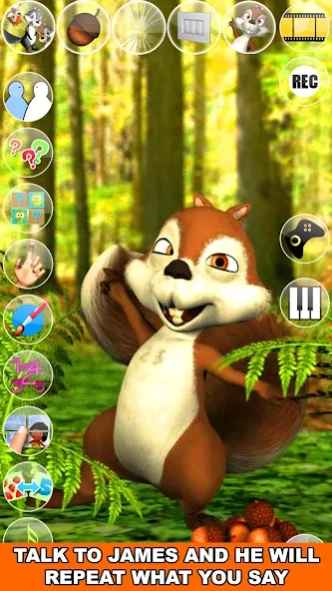


Play with the amazing talking squirrel because it is big fun and has cool games!
Talk to the talking James Squirrel. He answers with his funny voice and reacts to what you say or your touch. In addition, play with James and his Piano! Play your favorite Song and James will love to sing for you. James has also more than 30 exciting games with many levels to play!
Spend some time with James this cute a little bit crazy squirrel. He will show you some of his Karate moves, his passion for music and singing, his favorite games and much more.
If you like animals games like talking pets then you will love Talking James Squirrel!
Features:
- Talking Animals
- Talking Squirrel
- Squirrel Games
- High quality 3D graphics
- One of the best talking animals app
- Cool voice interaction
- Piano with singing James
- Many different animations
Enjoy hours of fun and laughter with Talking James Squirrel!
About Talking James Squirrel
The company that develops Talking James Squirrel is Kaufcom Games Apps Widgets. The latest version released by its developer is 12.1.2. This app was rated by 7 users of our site and has an average rating of 2.9.
To install Talking James Squirrel on your Android device, just click the green Continue To App button above to start the installation process. The app is listed on our website since 2025-12-12 and was downloaded 276 times. We have already checked if the download link is safe, however for your own protection we recommend that you scan the downloaded app with your antivirus. Your antivirus may detect the Talking James Squirrel as malware as malware if the download link to com.kauf.talking.baum.TalkingJamesSquirrel is broken.
How to install Talking James Squirrel on your Android device:
- Click on the Continue To App button on our website. This will redirect you to Google Play.
- Once the Talking James Squirrel is shown in the Google Play listing of your Android device, you can start its download and installation. Tap on the Install button located below the search bar and to the right of the app icon.
- A pop-up window with the permissions required by Talking James Squirrel will be shown. Click on Accept to continue the process.
- Talking James Squirrel will be downloaded onto your device, displaying a progress. Once the download completes, the installation will start and you'll get a notification after the installation is finished.
Program Details
System requirements
Download information
Pricing
Version History
version 12.1.2
posted on 2025-12-12
Major Update:
- A lot of new Levels – Explore challenging, fun, and engaging new levels for hours of entertainment!
- We’ve completely enhanced the graphics – the game now looks fresher, brighter, and more eye-catching!
- A lot of Bug Fixes & Performance Enhancements – Smoother gameplay, faster load times, and a crash-free experience.
- Upgraded User Interface (UI)
- Additional Content & Tweaks – Tons of improvements to boost your overall gaming fun.
- Audio improvement
version 240917
posted on 2024-09-17
More Fun
version 210127
posted on 2021-01-27
- More fun stuff added
version 4.22.0
posted on 2017-07-06
Tuned & bugs fixed
version 1.2
posted on 2011-04-08
Several fixes and updates
